FREE and FAST to implement. Copy The Command. Follow The Steps. Get it Done.
Get More Done With AI In The Next 7 Days Than You’ve Managed In The Last 3 Months
Even If You’ve Barely Used AI Before
I use AI every day and I still sometimes find myself staring at ChatGPT wondering how to get it to do what I actually want.
And I’ve been doing this for a while.
So what about someone who hasn’t?
That’s the problem with a lot of AI products. You buy hundreds of prompts or some clever new system, open it up and you’re still left wondering where to start.
I wanted to solve that problem.
AI Master Keys gives you 27 different jobs you can hand to AI, from finding your next product and creating it to fixing an offer that isn’t selling or getting a project moving again.
And it gives you the exact Command to get each one done.
Choose the job.
Copy the Command.
Let AI take you through it.
Start With What You Want To Get Done
That’s really the whole idea behind AI Master Keys.
You don’t open ChatGPT and try to think of a clever question.
You open the guide and think about what’s currently driving you mad.
Maybe you’ve been trying to come up with a product idea.
Maybe you’ve already got one but it’s growing arms and legs and you’ll never get the bloody thing finished at this rate.
Or you’ve created the product and now you have absolutely no idea how to sell it.
There’s a Key for each of those.
In fact, there are 27 of them.
Imagine What You Could Get Done With These...
SEED
This is where you can start with almost nothing. Tell AI about what you know, what you can do and what interests you and SEED helps you find product ideas that actually fit you.
So if you’ve been saying, “I’d love to create something but I don’t know what,” start here.
SLICE
I know this problem very well. You start with a perfectly manageable idea and three hours later you’re apparently creating the Encyclopaedia Britannica.
SLICE helps you find the smaller product inside the monster, while making sure there’s still enough there for somebody to want to buy it.
ANGLE
Sometimes the product is fine. The problem is that you don’t know what to say about it.
ANGLE looks at what you’ve actually created and helps you find the strongest way into the sale.
HOOKMAP
You need to write an email or sales page. The cursor is blinking. Nothing remotely interesting is coming to mind.
HOOKMAP helps you find the opening that gives someone a reason to keep reading.
X-RAY
I created this one because changing everything after a disappointing promotion is very tempting. And often a very bad idea.
X-RAY helps you look at what actually happened first, so you have some idea what needs fixing before you start pulling things apart.
VOICE
If ChatGPT has ever turned something you wrote into something that sounds as though it was produced by the marketing department of a large insurance company, you’ll understand why this one is here.
VOICE works from examples of your own writing to bring the draft back towards the way you actually sound.
BRIDGE
Someone has bought your product. Great. Now what could you sell them next?
BRIDGE starts with what they’ve already bought and helps you find a next offer that actually makes sense.
And That’s Only Eight Of Them
There are another 19 inside.
Some will probably become Keys you use all the time. Others you’ll pull out when you have a particular problem.
That’s why I kept the collection to 27.
I didn’t want to give you 5,000 prompts so I could put a huge number on the sales page.
I’ve bought those collections.
I never use them either.
I wanted something I could open when I had a job to do and find the thing that would help me do it.
So How Does A Master Key Work?
Let’s say you’ve got an idea for a product but it has become far too big.
Open SLICE.
I’ll tell you what it’s for and what you need before you begin.
Then you’ll find the Command.
Copy it into ChatGPT, Claude, Gemini or whichever AI you prefer and add the information it asks for.
AI takes you through the job from there.
When you have the answer, there’s a follow-up prompt to help you take it further.
That’s it.
You don’t need to learn a prompting formula before you begin. You don’t have to install anything and you’re not tied to a particular AI.
I’ve Also Given You The Bits I Know You’ll Need
Because inevitably there will be a moment when AI gives you an answer and you think, No. That’s not what I meant at all.
So I’ve included 39 Help Prompts for exactly those moments.
There’s also a Preparation Workbook to help you get your information together before you start, plus Worked Examples so you can see how the Keys work on a real task.
You’ll find Finishing Checklists in there too, because AI producing something that looks finished and something actually being ready to use are not always the same thing.
And I’ve put the Commands and follow-up prompts into plain text files.
That last one isn’t very glamorous.
It does make them much easier to copy.
What If You’ve Hardly Used AI?
You’re exactly who I had in mind when I made this.
You don’t have to spend the weekend learning how to become good at ChatGPT before you can use it.
If you have no idea what to create, open SEED.
If you’ve already got too many ideas, open SLICE.
If you’re staring at something that should be selling and isn’t, try X RAY.
Start with the problem you have.
The Key will tell you what to do next.
Why Did I Make This?
I’ve created more than 100 digital products over the years and generated seven figures in sales. Twenty-eight of my products have been selected as WarriorPlus Deal of the Day.
These days AI is involved in a lot of the work I do.
But the more I’ve used it, the less interested I’ve become in learning clever ways to prompt it.
I want to get the book plotted.
I want to get the product finished.
I want to work out why the email didn’t sell.
I want the result.
And that’s what eventually led me to build the Master Keys.
I wanted to be able to open something, find the job in front of me and get on with it.
I thought you might too.
What Could You Get Done This Week?
There must be something you’ve been putting off.
Something half-finished.
Something you’ve been thinking about for far too long.
Or perhaps you genuinely have no idea what you want to do next.
Either way, you don’t need to learn AI first.
Pick the job and start there.
Get More Done With AI In The Next 7 Days Than You’ve Managed In The Last 3 Months
Even If You’ve Barely Used AI Before
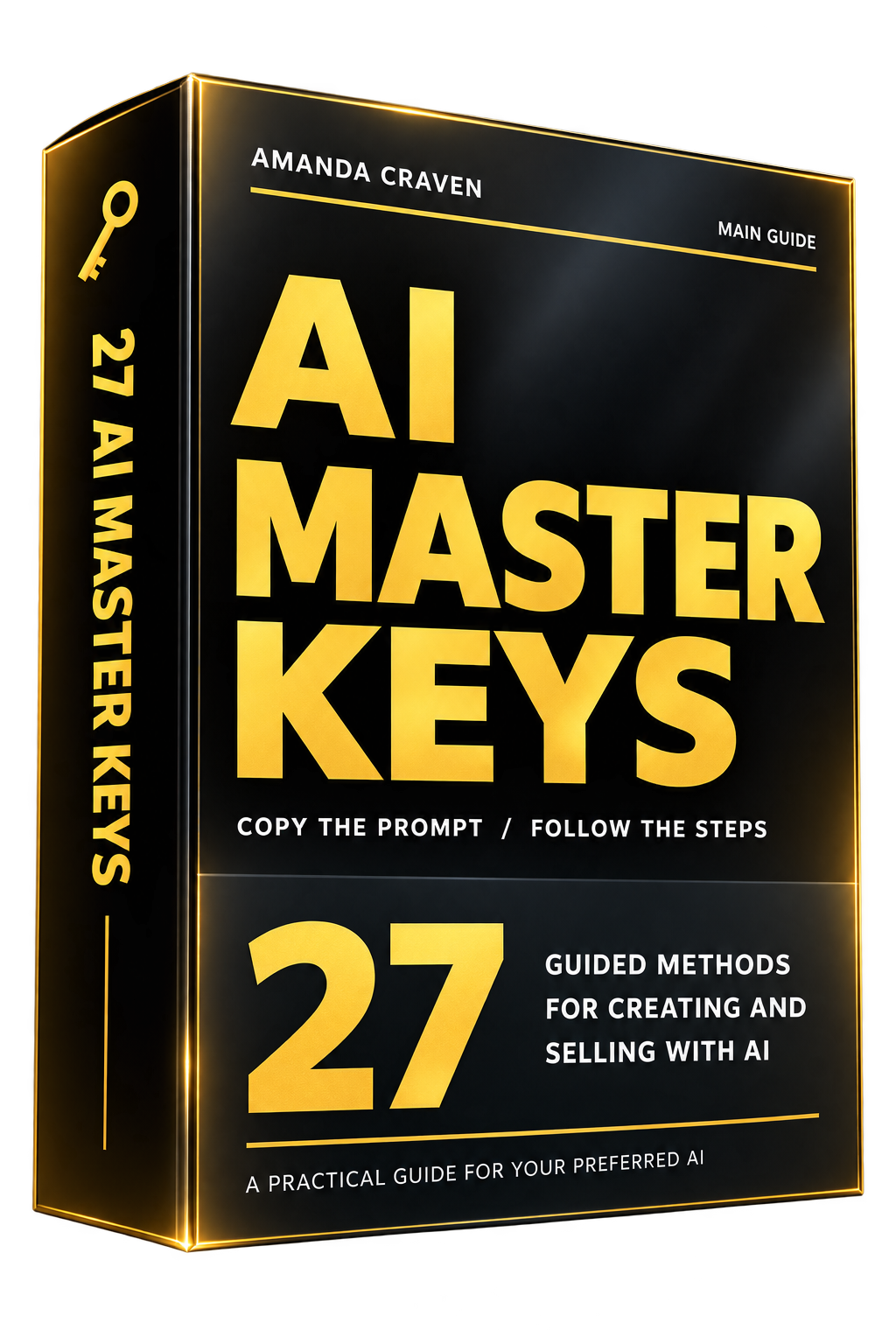
Get your copy delivered instantly, any time, day or night
Instant Access: All 27 Master Keys
Instant Access: The Preparation Workbook
Instant Access: Complete Worked Examples Companion
Instant Access: 39 Help Prompts
Instant Access: Finishing Checklists
Instant Access: Copy & Paste Files
This is a direct download – no logins or passwords required.
You will receive your downloads directly in your WarriorPlus account.
If you need support, please contact us here